If you’ve purchased a new course that you wish to assign to an existing learner, you can do this easily by following the simple steps below;
Login to the LMS as an Administrator - please note that course enrolment can only be carried out by an Administrator account.
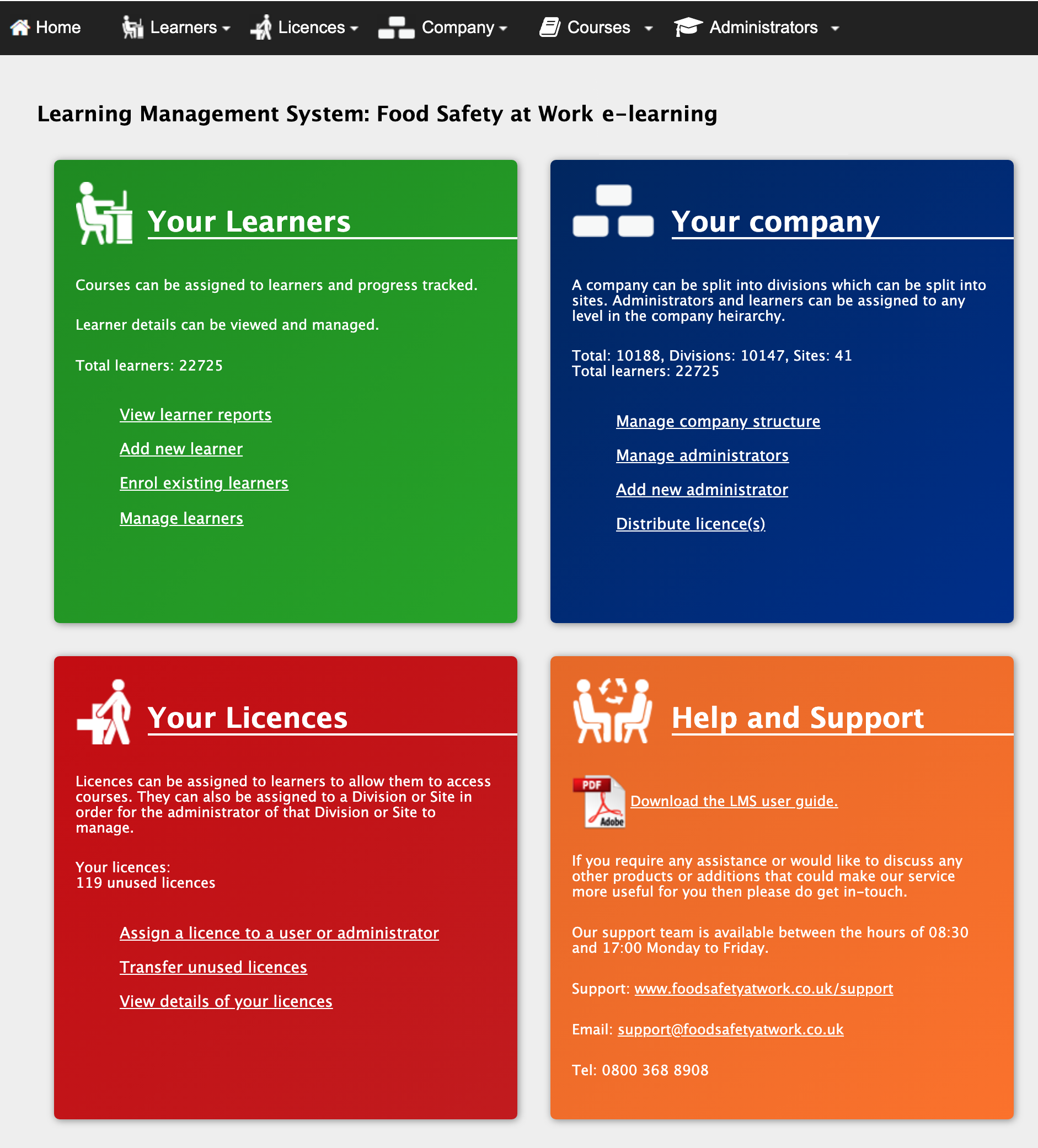
Once logged in, select the ‘Manage Learners’ option in the large green ‘Your Learners’ box.
On the next screen, you should then be able to see a list of all the learners set up in your account.
If you have a large number of learners in your account, you can aid your search by using the filter options at the top of the page to search for something more specific.
Once you’ve located the learner that you want to enrol on the new course you’ve purchased, simply select the ' ' icon in their row.

If you only have 1 learner that you wish to enrol on the new course, you can just select the ‘Add course(s)’ button at the bottom right.
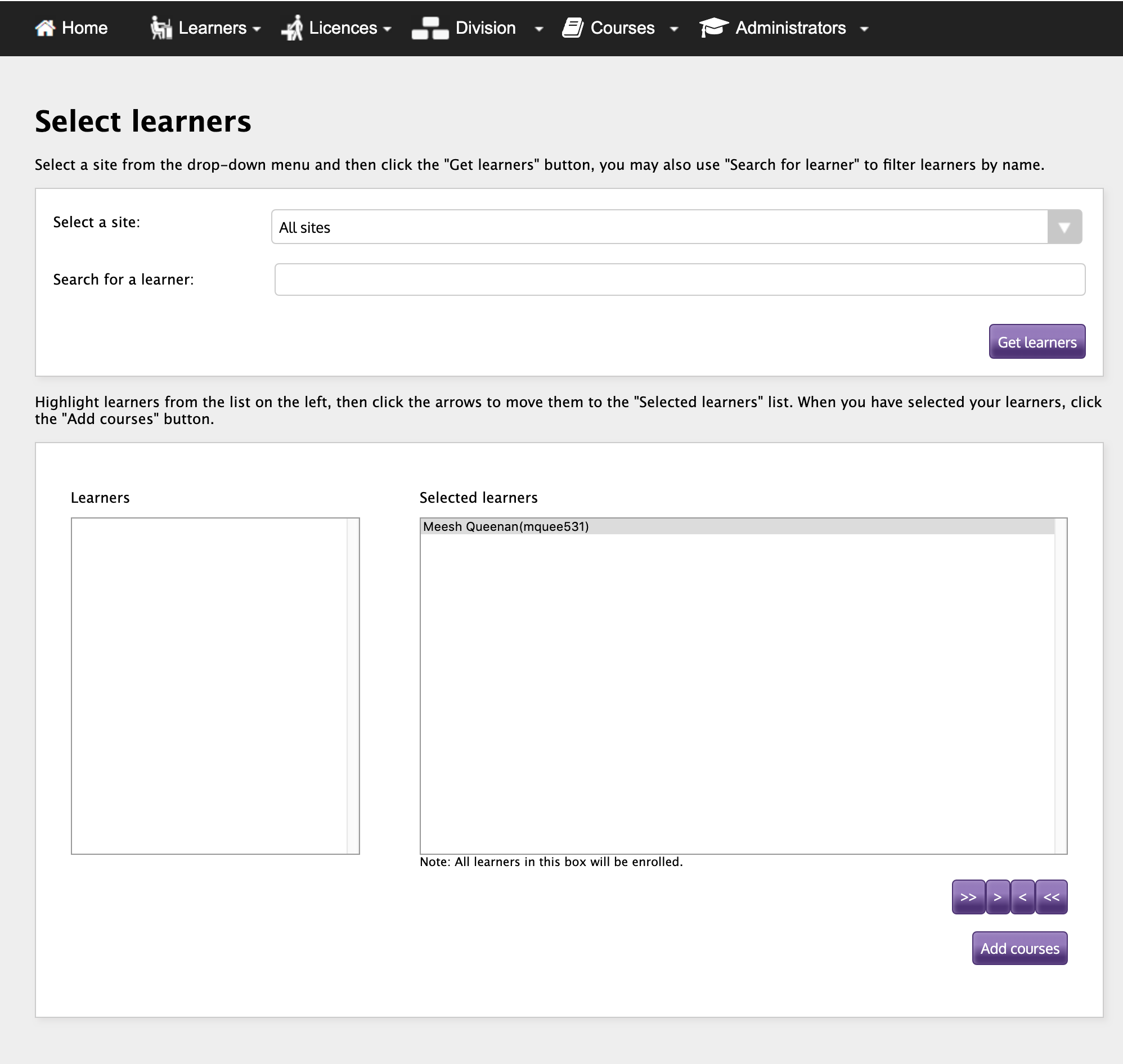
If you have multiple learners that you wish to enrol on the new course (providing that the licences are available in your account), you can highlight their names in the box on the left and use the arrows at the bottom right to move them into the ‘Selected Learners’ box - you can also navigate to this view by selecting the ‘Enrol Existing Learners’ option from either the large green box on your Dashboard or the Learners drop down menu in the navigation bar.
Once you have chosen all desired learners, you can select the ‘Add course(s)’ button at the bottom right.
You will then need to choose which course(s) you wish to assign to which learner(s) using the ‘Search course(s)’ drop down menu.
Find the course you wish to assign in the menu, select it and then click the ‘Add course’ button which should add the course under the ‘your selected courses’ heading.
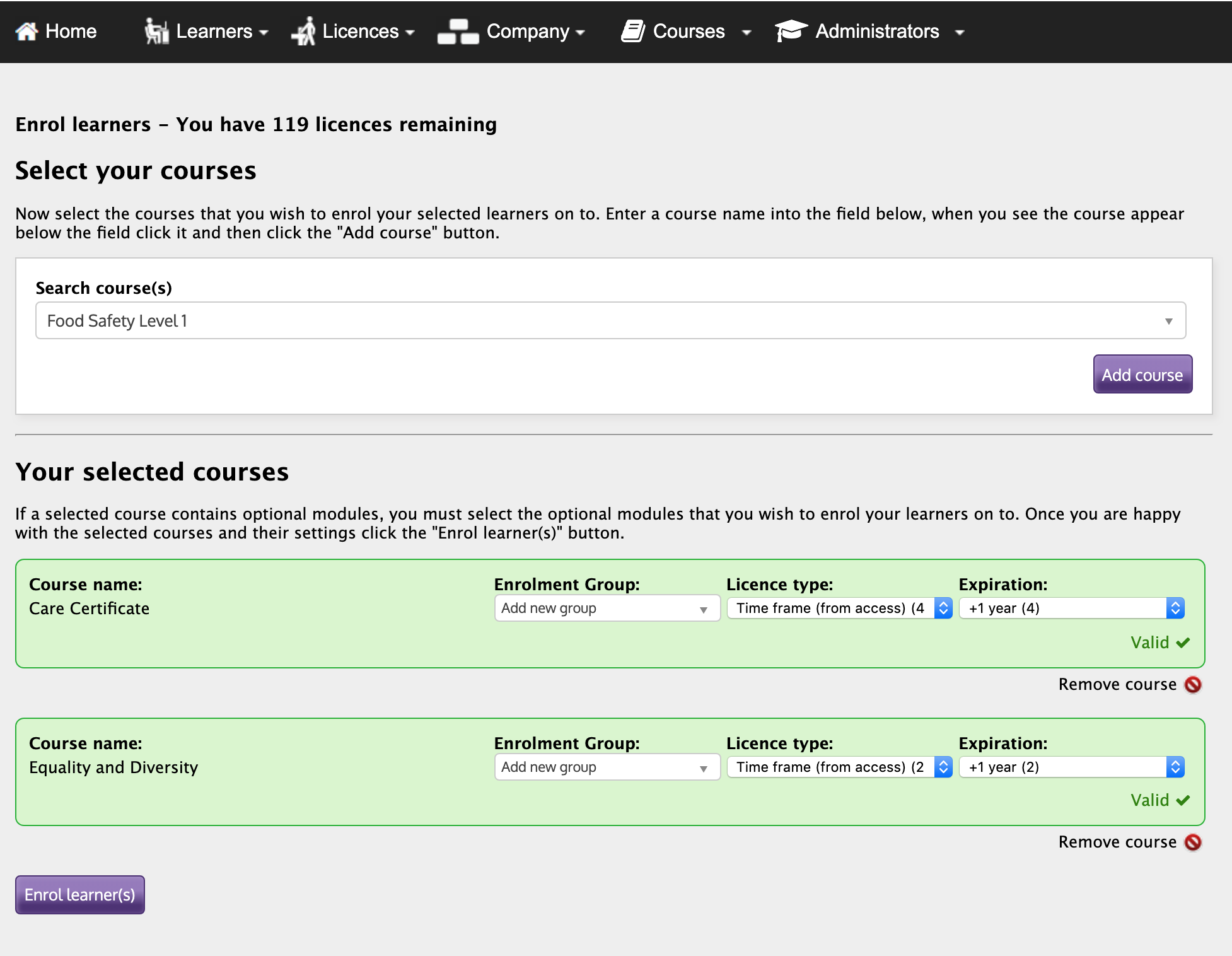
Once you’ve selected the desired course for the learner(s), the course should have 2 boxes next to it - ‘Licence Type’ and ‘Expiration’. Licence Type should be pre-populated with the option ‘Time frame (from access)’. For Expiration, you will need to use the drop down menu to select ‘+ 1 Year’.
When these options are selected, you can then select the ‘Enrol learner(s)’ button at the bottom left which will assign the course(s) you’ve just selected to all the learners you have just selected.
Learners should now be able to access the new course they have been enrolled on by logging into their learner account.