If you’ve purchased a new course that you wish to assign to an existing learner, you can do this easily by following the simple steps below;
Login to the LMS with your LMS Manager details - please note that course enrolment can only be carried out by an LMS Manager account.
Assigning a course
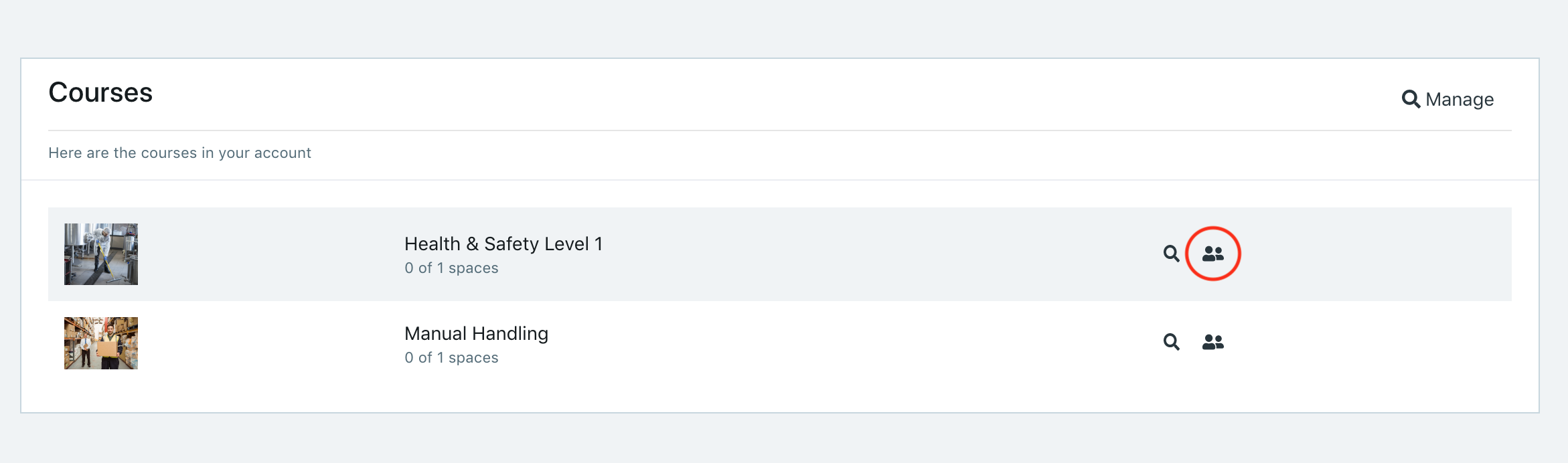
To assign a course to an existing learner, you can do this via the Courses section of the Dashboard view.
Select the 'Manage Learners' icon for the course you wish to assign to the existing learner;
On the course learners screen, start typing the name or email address of the learner you wish to add.
Select the name when it appears in the drop down menu - the user is now assigned to that course and should receive an email invitation for the course.
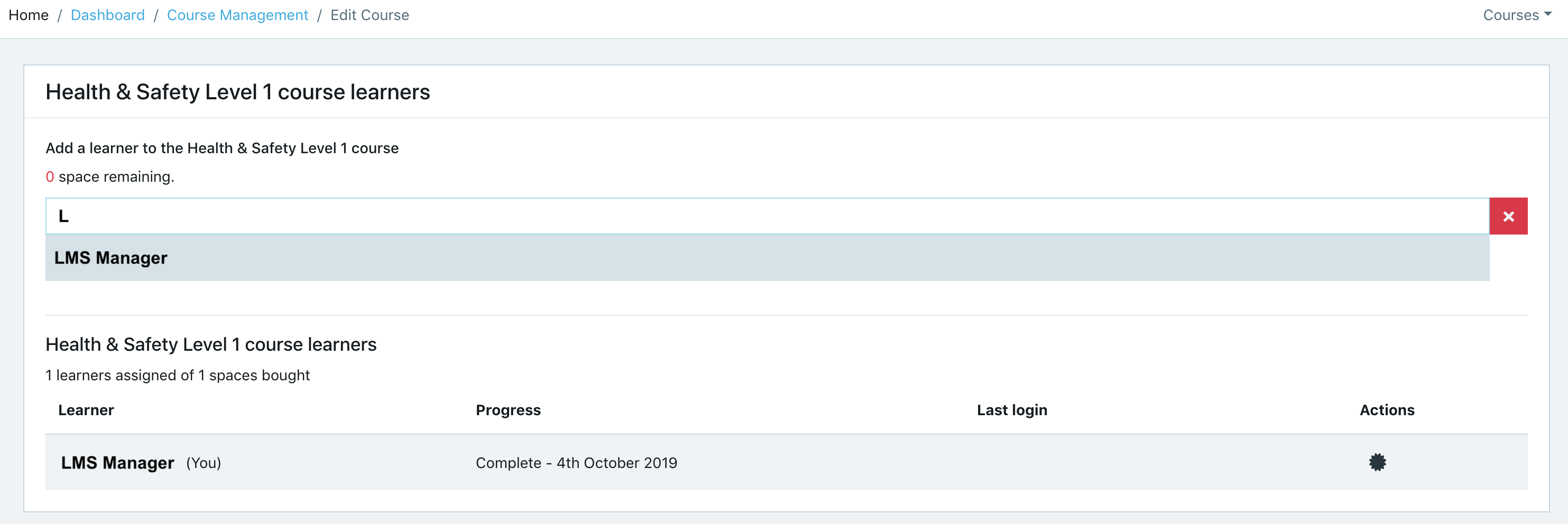
If a confirmation message is not received and the learner does not receive an invitation, make sure the user is not already assigned to the course, and that there are spaces available on the course.
Once the learner is enrolled on the course, they can either click the link in the email invitation to login to their Dashboard or go straight to the login page and sign in with their existing details.